
Download ResumeWiz – AI‑Powered Resume Builder, Free & Secure
Overview of ResumeWiz – Intelligent Resume Builder for Job Seekers
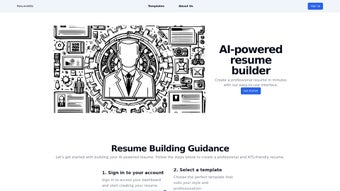
ResumeWiz is a web‑based, AI‑driven resume creation platform that streamlines the entire job‑application workflow. Designed for professionals ranging from recent graduates to senior executives, the tool guides users through a structured, step‑by‑step process that starts at login and ends with a polished, downloadable document. The interface offers a curated library of modern templates, each customizable to reflect personal style while adhering to industry‑standard layouts.
What truly differentiates ResumeWiz is its integrated Applicant Tracking System (ATS) scoring engine. After users populate their personal details, work experience, education, and skill sections, the AI evaluates the draft against the latest ATS algorithms, producing a clear score and actionable recommendations. This feedback loop ensures that the final resume not only looks impressive but also performs well when scanned by recruiters’ software.
Whether you need a PDF for a corporate application or a PNG for a creative portfolio, ResumeWiz lets you export with a single click. The platform’s cloud‑based nature guarantees that your data is stored securely, and regular updates keep the AI models aligned with evolving hiring trends. In short, ResumeWiz offers a seamless, intelligent, and secure way to craft a resume that gets noticed.
Key Features that Set ResumeWiz Apart
- AI‑Generated ATS Score: Real‑time evaluation of how well your resume will pass through automated screening tools.
- Template Library: Over 30 professionally designed templates covering corporate, tech, creative, and academic styles.
- Dynamic Content Suggestions: Context‑aware prompts that recommend bullet‑point phrasing, quantifiable achievements, and industry‑specific keywords.
- One‑Click Export: Download your final resume as a high‑resolution PDF or PNG, ready for email, LinkedIn, or print.
- Cloud‑Sync & Auto‑Save: All changes are saved automatically, allowing you to switch devices without losing progress.
- Multi‑Language Support: Build resumes in English, Spanish, French, and German, with localized ATS guidelines.
- Secure Data Handling: End‑to‑end encryption and GDPR‑compliant storage protect your personal information.
- Version History: Access previous iterations of your resume, compare ATS scores, and revert to earlier drafts.
Each of these features is built around the core principle of reducing friction for job seekers. The AI‑driven suggestions eliminate the guesswork often associated with keyword optimization, while the template library ensures visual consistency across industries. Moreover, the ability to view a detailed ATS report empowers users to make data‑backed improvements before submitting applications, dramatically increasing interview odds. The secure cloud architecture means you can start a resume on a desktop at home, continue editing on a tablet during a commute, and finalize it on a smartphone at a coffee shop—all without compromising privacy.
Step‑by‑Step Installation & Usage Guide
Because ResumeWiz is a fully web‑based service, there is no traditional “installation” process. Instead, follow these simple steps to get started quickly:
1. Create Your Account
Visit ResumeWiz.com and click “Sign Up.” You can register using an email address or link a Google or LinkedIn account for faster onboarding. After confirming your email, you’ll be directed to the personal dashboard.
2. Choose a Template
From the dashboard, browse the template gallery. Hover over each design to see a live preview. Click “Select” on the template that best matches your industry and aesthetic preference. The chosen layout will load the editor with pre‑formatted sections.
3. Populate Your Information
Enter your contact details, professional summary, work experience, education, and skills. ResumeWiz’s AI detects missing standard sections (e.g., certifications) and prompts you to add them. As you type, the tool highlights keywords that boost ATS compatibility.
4. Review the ATS Score
Once the basic content is in place, click the “Analyze” button. The AI instantly calculates an ATS score out of 100 and presents a color‑coded report (green = optimal, yellow = needs work, red = critical). Below the score, you’ll find specific suggestions such as “Add measurable results to your sales role” or “Replace generic skill ‘communication’ with ‘public speaking’.” Apply these recommendations and re‑run the analysis until you achieve a satisfactory score.
5. Export Your Resume
When you’re happy with the layout and ATS rating, click “Download.” Choose either PDF for formal applications or PNG for visual portfolios. The file is generated on the server and delivered instantly to your device.
Because everything runs in the browser, you benefit from automatic updates—new templates, AI improvements, and security patches are deployed server‑side, meaning you always have the latest version without manual downloads.
Compatibility, Pros, and Cons
ResumeWiz is a cloud‑native platform, which means it works on any modern operating system that supports a web browser—Windows 10/11, macOS Ventura, Linux distributions, as well as mobile OSes like Android 13 and iOS 17. The responsive design adapts to desktops, tablets, and smartphones, ensuring a consistent experience regardless of device.
Pros
- AI‑driven ATS scoring provides data‑backed confidence.
- Extensive template library covers diverse industries.
- No installation required; works in any browser.
- Secure cloud storage with automatic backups.
- Multi‑language support expands global usability.
- Free tier available with essential features.
Cons
- Advanced analytics and premium templates require a paid subscription.
- Internet connection is mandatory for real‑time AI analysis.
- Customization beyond template constraints can be limited for designers seeking total freedom.
Frequently Asked Questions
Is ResumeWiz really free to use?
ResumeWiz offers a robust free tier that includes access to all core templates, AI‑powered ATS scoring, and PDF export. Premium features—such as advanced analytics, exclusive design packs, and priority support—are available via a monthly or annual subscription.
Can I edit my resume after I’ve downloaded it?
Yes. All resumes are saved in your cloud dashboard, allowing you to revisit, edit, and re‑export at any time. The version history feature lets you compare past drafts and revert if needed.
How does the ATS score work?
The AI scans your resume against a database of current applicant tracking system algorithms, checking for keyword relevance, formatting consistency, and readability. It then assigns a score out of 100 and provides specific suggestions to improve weak areas.
Is my personal data safe on ResumeWiz?
ResumeWiz employs end‑to‑end encryption, GDPR‑compliant storage, and regular security audits. Your data is never sold to third parties, and you can permanently delete your account and all associated files at any time.
Can I use ResumeWiz on mobile devices?
Absolutely. The platform’s responsive design works smoothly on Android and iOS browsers, allowing you to create, edit, and export resumes on smartphones or tablets without loss of functionality.
Conclusion – Why You Should Download ResumeWiz Today
In a competitive job market, a well‑crafted resume is your first ticket to an interview. ResumeWiz combines AI intelligence, a sleek template library, and cloud‑based convenience into a single, secure platform that removes the guesswork from resume creation. Whether you’re launching a new career, aiming for a promotion, or transitioning industries, the built‑in ATS scoring system gives you a measurable edge that traditional word processors can’t match.
The free tier provides ample functionality for most users, while the premium upgrade unlocks deeper analytics and exclusive designs for power users. Because everything runs in the browser, you can start on a desktop at work and finish on a mobile device during a commute—your progress is saved automatically and protected with industry‑standard encryption. Ready to build a resume that not only looks professional but also performs under automated screening?
Download ResumeWiz now and take the first step toward your next career milestone.



.png)



